Animation
Every animation here is a port of the corresponding res/anim resource from 1.x, with the same
duration, the same interpolator, and the same pivot. The three AOSP interpolators involved
(accelerate/decelerate, bounce, and overshoot) are reimplemented as Compose Easing functions,
so the motion is identical on Android, iOS, Desktop, and Web.
Enter and exit


setBalloonAnimation(BalloonAnimation.ELASTIC)
| Value | Enter | Exit |
|---|---|---|
NONE |
instant | instant |
FADE |
alpha 0 to 1 over 200ms, linear | reverse |
ELASTIC |
scale 0.5 to 1 over 250ms, bounce | scale to 0 over 250ms |
OVERSHOOT |
scale 0.5 to 1 over 250ms, overshoot | scale to 0 over 250ms |
CIRCULAR |
circular reveal, 500ms by default | scale to 0 over 200ms |
Every scale pivots on the balloon's center, which is what the original animation resources did regardless of where the arrow sits.
setCircularDuration(700L) // only affects CIRCULAR
CIRCULAR clears focusability
setBalloonAnimation(BalloonAnimation.CIRCULAR) also sets focusable to false, which is
what 1.x did so the reveal can play without the popup stealing input. Call
setFocusable(true) afterwards if you want it back.
Highlight animations

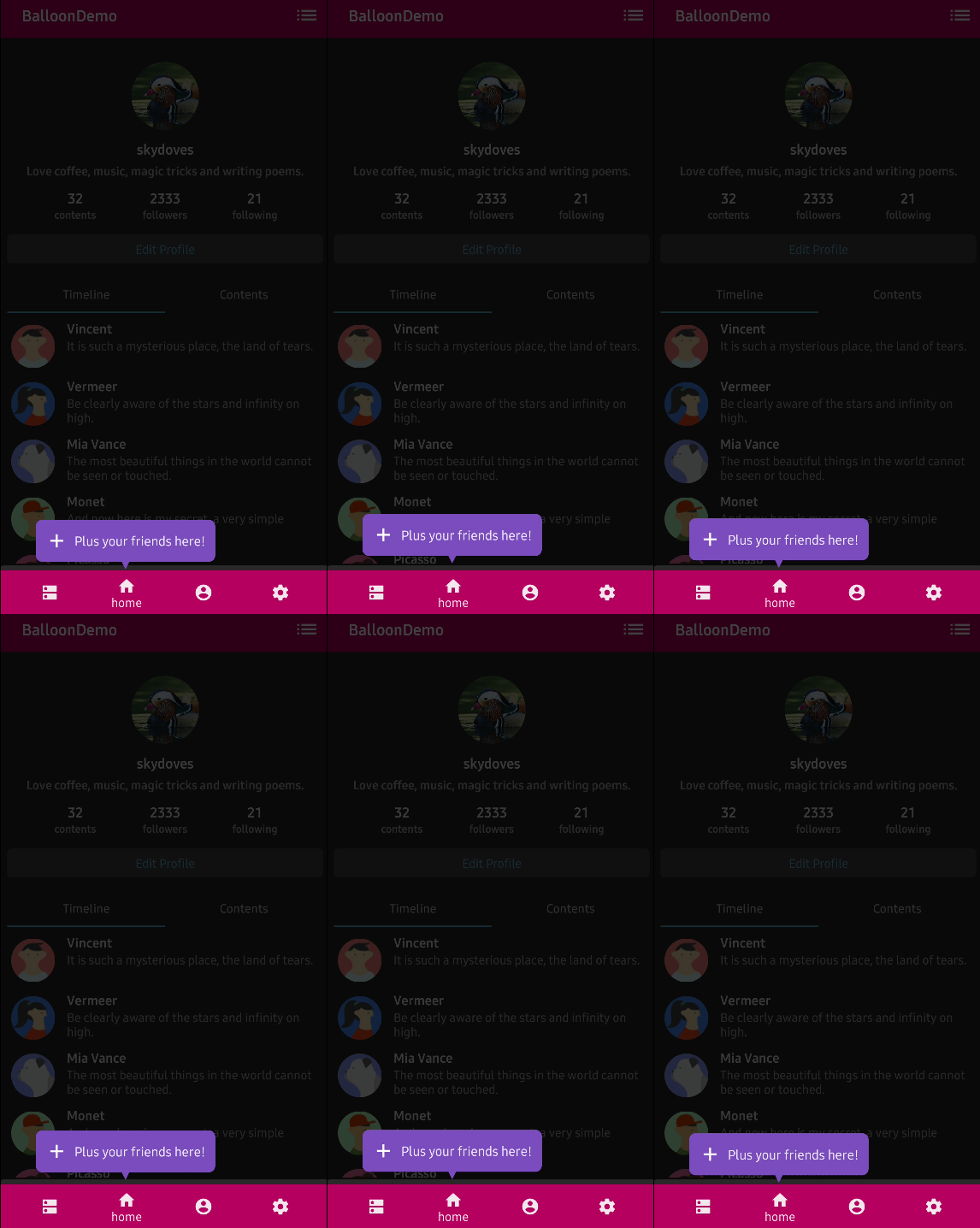


A looping animation that plays for as long as the balloon is showing, to draw the eye.
setBalloonHighlightAnimation(BalloonHighlightAnimation.HEARTBEAT)
setBalloonHighlightAnimation(BalloonHighlightAnimation.SHAKE, startDelayMillis = 300L)
| Value | Motion |
|---|---|
NONE |
nothing, the default |
HEARTBEAT |
pulses between 100% and 90% scale over 800ms |
SHAKE |
slides 13% of its own size away from the anchor and back over 650ms |
BREATH |
fades between 75% and 100% alpha over 800ms |
ROTATE |
spins in 3D, configured separately |
HEARTBEAT pivots on the arrow edge, so the arrow stays pinned to the anchor while the rest
of the balloon pulses toward it. When the arrow is hidden it pivots on the center instead.
SHAKE slides away from the arrow, so the tooltip tugs against the anchor it points at.
Until startDelayMillis elapses the balloon is drawn untransformed, exactly as in 1.x.
ROTATE
setBalloonHighlightAnimation(BalloonHighlightAnimation.ROTATE)
setBalloonRotationAnimation(
    BalloonRotateAnimation(
        direction = BalloonRotateDirection.RIGHT,
        turns = 1,
        loops = BalloonRotateAnimation.INFINITE,
        speedMillis = 2500,
        degreeX = 0,
        degreeZ = 0,
    ),
)
The balloon turns 360 * turns * direction degrees around Y, plus optional fixed sweeps around
X and Z, over speedMillis, repeating loops times about its center. INFINITE repeats
forever.
Two differences from 1.x worth knowing. The perspective is density relative here, where
android.graphics.Camera sat at a fixed 576px whatever the screen, so the same rotation reads
slightly flatter on a dense display and consistent across devices. And 1.x left
balloonRotateAnimation null by default, which meant ROTATE did nothing until you configured
it; here the default is a real BalloonRotateAnimation().
Overlay animation
setBalloonOverlayAnimation(BalloonOverlayAnimation.FADE)  // default
setBalloonOverlayAnimation(BalloonOverlayAnimation.NONE)
See Overlay.
Disabling animations in tests
Set BalloonAnimation.NONE so a screenshot or a semantics assertion runs against a settled
frame:
val style = DefaultBalloonStyle.derive { setBalloonAnimation(BalloonAnimation.NONE) }
HEARTBEAT, SHAKE, BREATH, and a ROTATE with loops = INFINITE never finish, so the
Compose test clock never goes idle and waitForIdle would hang. Drive the clock by hand for
those. A ROTATE with a finite loops completes on its own and needs none of this.
mainClock.autoAdvance = false
runOnUiThread { balloonState.showAlignBottom() }
mainClock.advanceTimeBy(16L)
onNodeWithTag("body").assertIsDisplayed()