BrightnessSlideBar
BrightnessSlideBar adjusts the brightness (value in HSV) of the selected color.
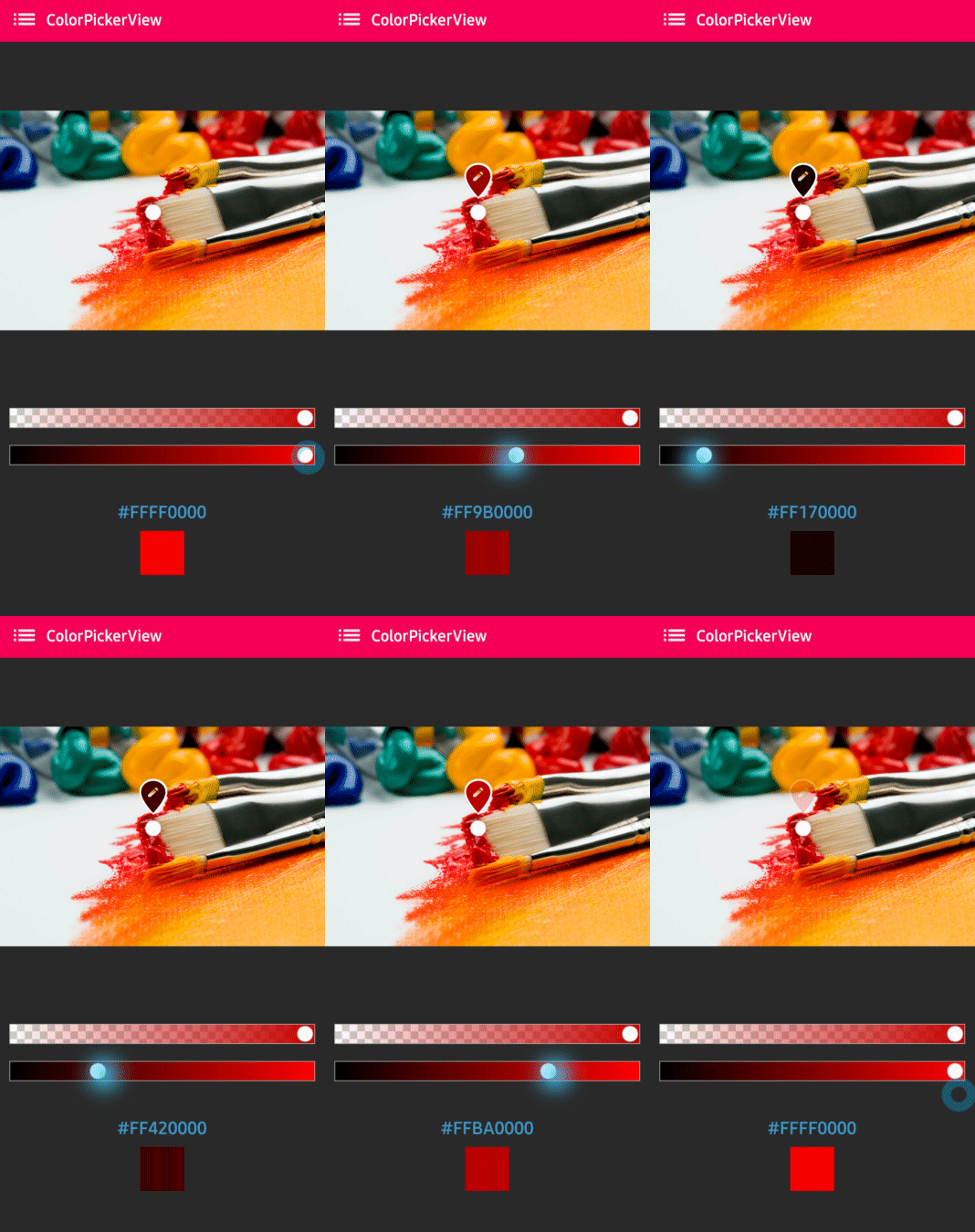
XML Layout
<com.skydoves.colorpickerview.sliders.BrightnessSlideBar
    android:id="@+id/brightnessSlideBar"
    android:layout_width="match_parent"
    android:layout_height="wrap_content"
    app:selector_BrightnessSlider="@drawable/colorpickerview_wheel"
    app:borderColor_BrightnessSlider="@android:color/darker_gray"
    app:borderSize_BrightnessSlider="5" />
XML Attributes
| Attribute | Description |
|---|---|
selector_BrightnessSlider |
Sets a customized selector drawable |
borderColor_BrightnessSlider |
Sets the color of the border |
borderSize_BrightnessSlider |
Sets the size of the border |
Attaching to ColorPickerView
Connect the BrightnessSlideBar to your ColorPickerView using the attachBrightnessSlider method:
val brightnessSlideBar = findViewById<BrightnessSlideBar>(R.id.brightnessSlideBar)
colorPickerView.attachBrightnessSlider(brightnessSlideBar)
BrightnessSlideBar brightnessSlideBar = findViewById(R.id.brightnessSlideBar);
colorPickerView.attachBrightnessSlider(brightnessSlideBar);
Vertical Orientation
To create a vertical slider, use the rotation attribute:
<com.skydoves.colorpickerview.sliders.BrightnessSlideBar
    android:id="@+id/brightnessSlideBar"
    android:layout_width="280dp"
    android:layout_height="wrap_content"
    android:rotation="90" />
Note
When using vertical orientation, you must set a specific width size (not match_parent).
Programmatic Usage
Set Selector Position
You can programmatically set the slider position:
// Set position as a ratio (0.0 to 1.0)
// 0.0 = darkest, 1.0 = brightest
brightnessSlideBar.setSelectorPosition(1.0f)
Get Selected Value
val selectedX = brightnessSlideBar.selectedX
Combining with AlphaSlideBar
You can use both sliders together for complete color control:
<?xml version="1.0" encoding="utf-8"?>
<LinearLayout
    xmlns:android="http://schemas.android.com/apk/res-auto"
    xmlns:app="http://schemas.android.com/apk/res-auto"
    android:layout_width="match_parent"
    android:layout_height="match_parent"
    android:orientation="vertical"
    android:padding="16dp">

    <com.skydoves.colorpickerview.ColorPickerView
        android:id="@+id/colorPickerView"
        android:layout_width="300dp"
        android:layout_height="300dp" />

    <com.skydoves.colorpickerview.sliders.AlphaSlideBar
        android:id="@+id/alphaSlideBar"
        android:layout_width="match_parent"
        android:layout_height="wrap_content"
        android:layout_marginTop="16dp" />

    <com.skydoves.colorpickerview.sliders.BrightnessSlideBar
        android:id="@+id/brightnessSlideBar"
        android:layout_width="match_parent"
        android:layout_height="wrap_content"
        android:layout_marginTop="8dp" />

</LinearLayout>
class MainActivity : AppCompatActivity() {
    override fun onCreate(savedInstanceState: Bundle?) {
        super.onCreate(savedInstanceState)
        setContentView(R.layout.activity_main)

        val colorPickerView = findViewById<ColorPickerView>(R.id.colorPickerView)
        val alphaSlideBar = findViewById<AlphaSlideBar>(R.id.alphaSlideBar)
        val brightnessSlideBar = findViewById<BrightnessSlideBar>(R.id.brightnessSlideBar)

        // Attach both sliders
        colorPickerView.attachAlphaSlider(alphaSlideBar)
        colorPickerView.attachBrightnessSlider(brightnessSlideBar)

        colorPickerView.setColorListener(ColorEnvelopeListener { envelope, fromUser ->
            // The color includes both alpha and brightness adjustments
            val finalColor = envelope.color
            val hexCode = envelope.hexCode
        })
    }
}
HSV Color Model
The brightness slider works with the HSV (Hue, Saturation, Value) color model:
- Hue: The color itself (0-360 degrees)
- Saturation: The intensity of the color (0-100%)
- Value/Brightness: The lightness of the color (0-100%)
When you adjust the brightness slider:
- Moving left (0.0) makes the color darker (towards black)
- Moving right (1.0) keeps the color at full brightness
Tip
For selecting white colors, move the selector to the center of the HSV palette (low saturation area) and set the brightness slider to maximum (1.0).