AlphaSlideBar
AlphaSlideBar adjusts the transparency (alpha) value of the selected color.
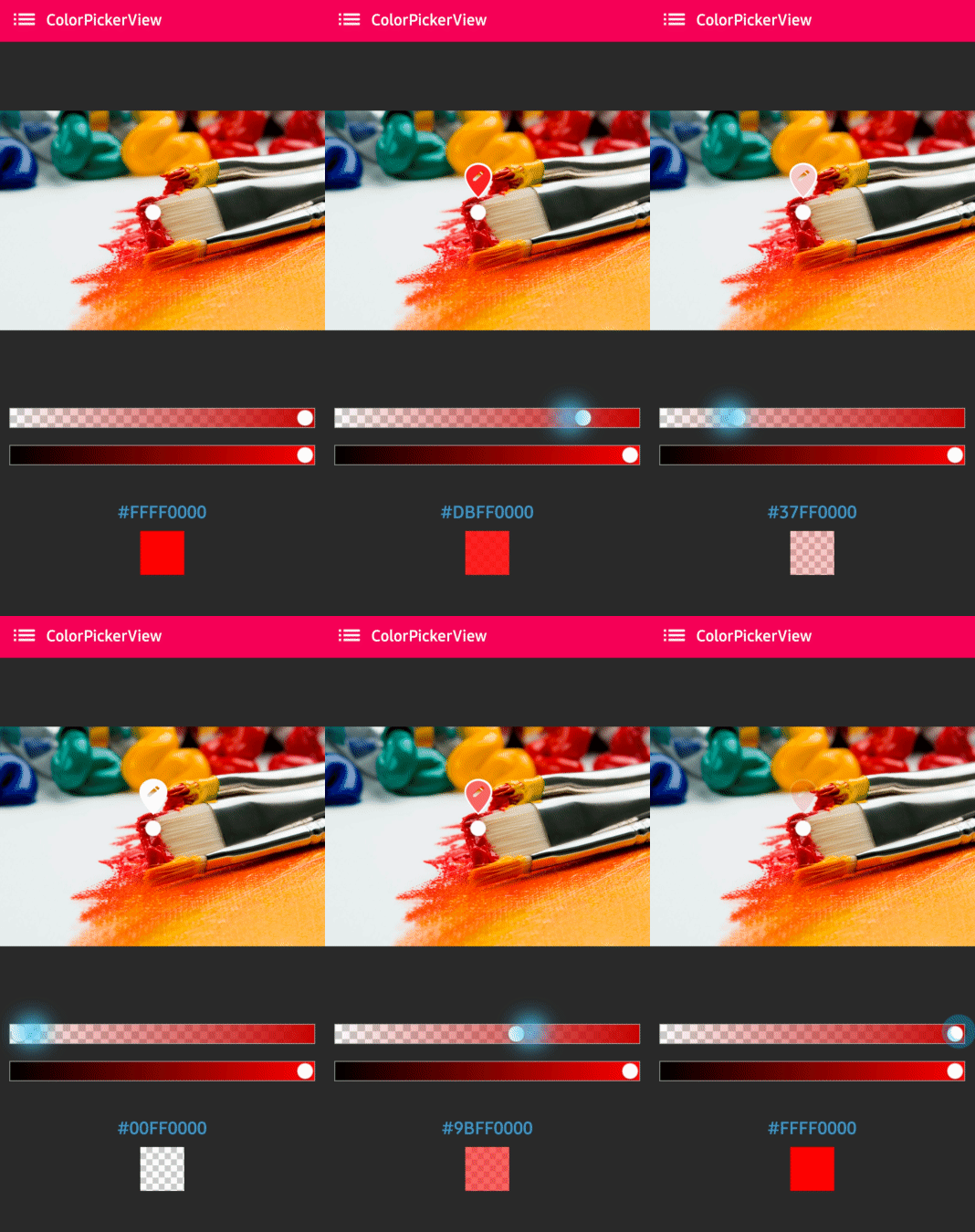
XML Layout
<com.skydoves.colorpickerview.sliders.AlphaSlideBar
    android:id="@+id/alphaSlideBar"
    android:layout_width="match_parent"
    android:layout_height="wrap_content"
    app:selector_AlphaSlideBar="@drawable/colorpickerview_wheel"
    app:borderColor_AlphaSlideBar="@android:color/darker_gray"
    app:borderSize_AlphaSlideBar="5" />
XML Attributes
| Attribute | Description |
|---|---|
selector_AlphaSlideBar |
Sets a customized selector drawable |
borderColor_AlphaSlideBar |
Sets the color of the border |
borderSize_AlphaSlideBar |
Sets the size of the border |
Attaching to ColorPickerView
Connect the AlphaSlideBar to your ColorPickerView using the attachAlphaSlider method:
val alphaSlideBar = findViewById<AlphaSlideBar>(R.id.alphaSlideBar)
colorPickerView.attachAlphaSlider(alphaSlideBar)
AlphaSlideBar alphaSlideBar = findViewById(R.id.alphaSlideBar);
colorPickerView.attachAlphaSlider(alphaSlideBar);
Vertical Orientation
To create a vertical slider, use the rotation attribute:
<com.skydoves.colorpickerview.sliders.AlphaSlideBar
    android:id="@+id/alphaSlideBar"
    android:layout_width="280dp"
    android:layout_height="wrap_content"
    android:rotation="90" />
Note
When using vertical orientation, you must set a specific width size (not match_parent).
Programmatic Usage
Set Selector Position
You can programmatically set the slider position:
// Set position as a ratio (0.0 to 1.0)
alphaSlideBar.setSelectorPosition(0.5f)
Get Selected Value
val selectedX = alphaSlideBar.selectedX
Complete Example
<?xml version="1.0" encoding="utf-8"?>
<LinearLayout
    xmlns:android="http://schemas.android.com/apk/res-auto"
    xmlns:app="http://schemas.android.com/apk/res-auto"
    android:layout_width="match_parent"
    android:layout_height="match_parent"
    android:orientation="vertical"
    android:padding="16dp">

    <com.skydoves.colorpickerview.ColorPickerView
        android:id="@+id/colorPickerView"
        android:layout_width="300dp"
        android:layout_height="300dp" />

    <com.skydoves.colorpickerview.sliders.AlphaSlideBar
        android:id="@+id/alphaSlideBar"
        android:layout_width="match_parent"
        android:layout_height="wrap_content"
        android:layout_marginTop="16dp"
        app:borderColor_AlphaSlideBar="@android:color/darker_gray"
        app:borderSize_AlphaSlideBar="3" />

</LinearLayout>
class MainActivity : AppCompatActivity() {
    override fun onCreate(savedInstanceState: Bundle?) {
        super.onCreate(savedInstanceState)
        setContentView(R.layout.activity_main)

        val colorPickerView = findViewById<ColorPickerView>(R.id.colorPickerView)
        val alphaSlideBar = findViewById<AlphaSlideBar>(R.id.alphaSlideBar)

        // Attach the alpha slider to the color picker
        colorPickerView.attachAlphaSlider(alphaSlideBar)

        colorPickerView.setColorListener(ColorEnvelopeListener { envelope, fromUser ->
            // The color includes alpha value from the slider
            val colorWithAlpha = envelope.color
        })
    }
}